Reuse familiar routes
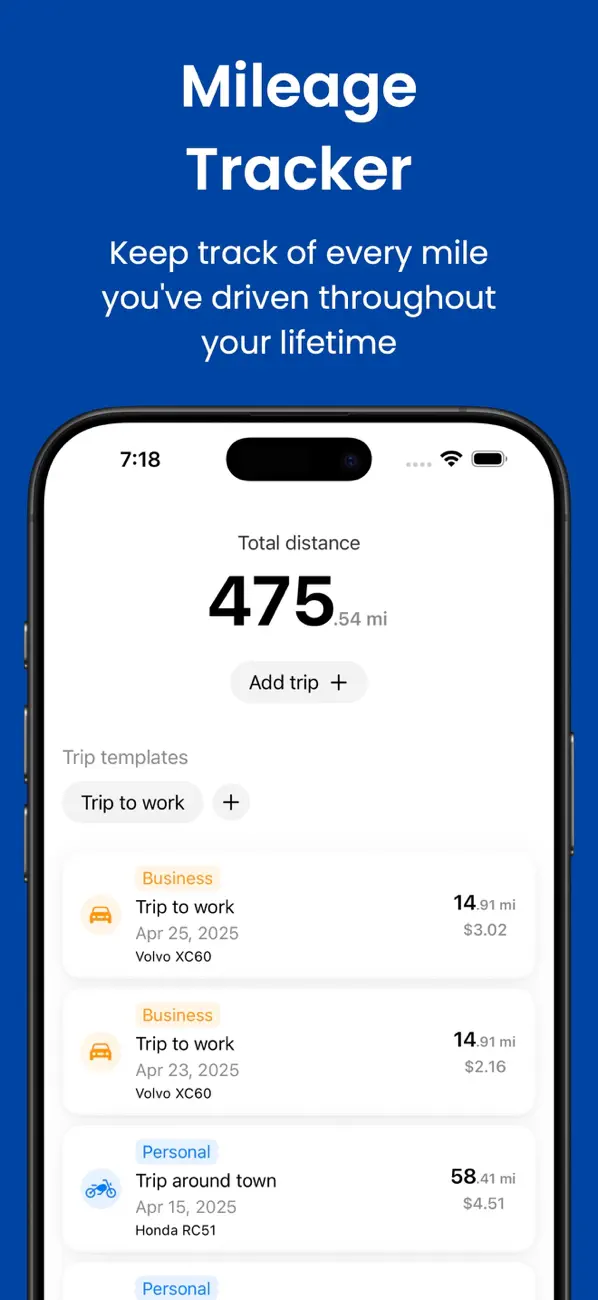
Save the journeys you drive often, so you don't have to enter the same details every time.

A manual mileage log for iPhone
Mileage Tracker records the trips you add and nothing else. Use it to separate personal and business journeys, reuse common routes, and keep an eye on distance, fuel use, and estimated costs.


Why it helps
Automatic trackers can be convenient, but they may record journeys you didn't want to keep. Here, you choose what goes into the log. That takes a small habit, but it also keeps the record predictable.
Save the journeys you drive often, so you don't have to enter the same details every time.
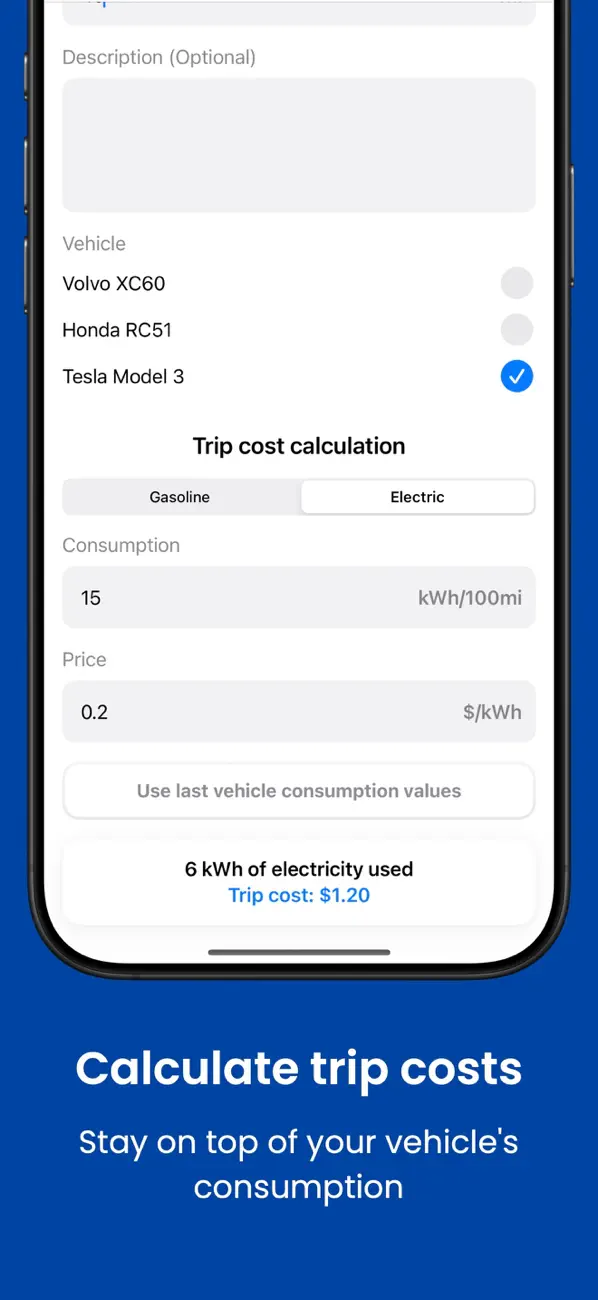
Add multiple cars or motorcycles, including electric vehicles, and give each one its own history.
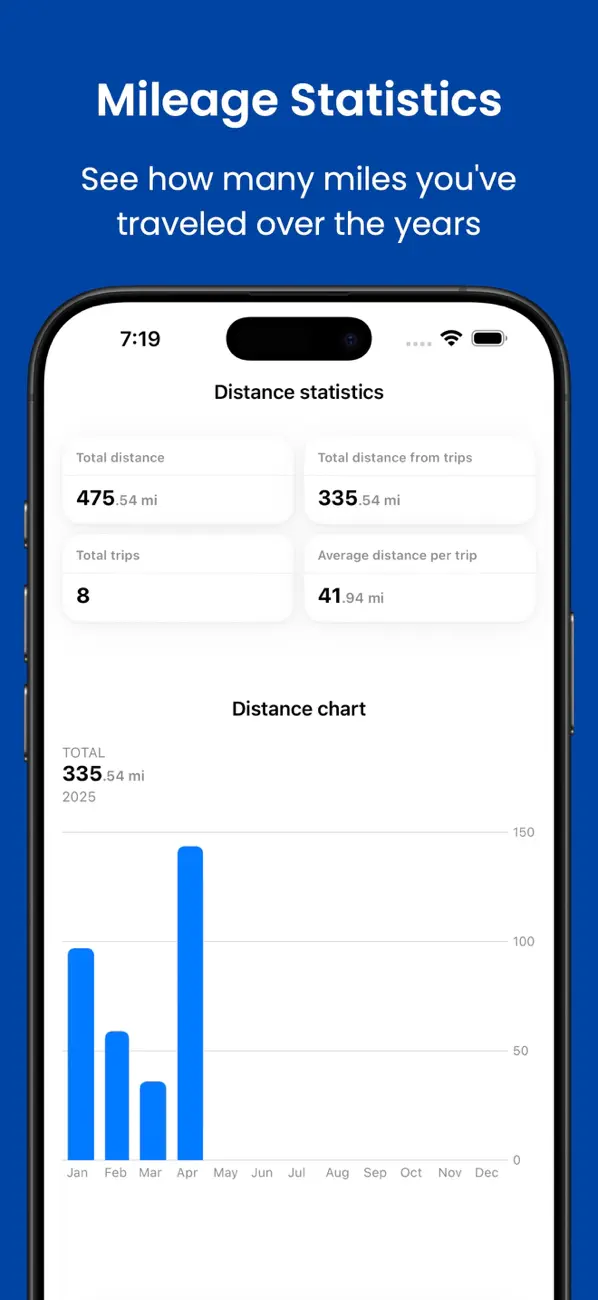
Use your own figures to estimate trip cost, calculate fuel consumption, and review totals for a chosen period.
How it works
Create a separate profile for each car or motorcycle you want to follow.
Enter the distance, mark it as personal or business, and use a template for common routes.
Check mileage for a selected period or the vehicle lifetime, along with costs and consumption.
Blog
Compare manual mileage logs with automatic GPS tracking for privacy, completeness, battery use, and record keeping.
Read post mileage log template for recurring tripsSet up reusable trip templates for commutes, client visits, school runs, and other routes while keeping each journey accurate.
Read post how to calculate cost per tripEstimate trip fuel cost from distance, consumption, and fuel price, with examples for common unit systems.
Read post gas vs electric vehicle mileage logSee which trip details stay the same for gasoline and electric vehicles and where energy-cost calculations differ.
Read postFAQ
No. It is a manual log, so only the trips you choose to enter are recorded.
Yes. Each trip can be marked as business or personal.
Yes. Trip templates let you reuse the details of recurring journeys.
You can add multiple cars or motorcycles, including gasoline and electric vehicles.
Available on the App Store
Our collection


